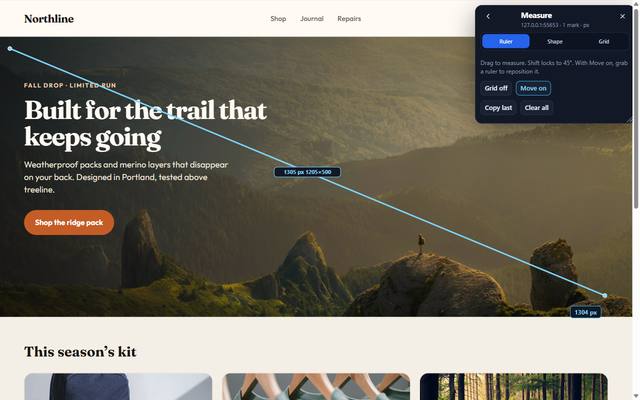
Measure
Verify every pixel before you ship. Widths, gaps, distances — on the layout that failed review.
Chrome extension · 12 tools · one overlay
Tired of switching between DevTools, a color picker, an SEO checker, and a screenshot app? PeekabooQA is the kit on the page: inspect, measure, audit, and export — then get back to the work.

Each one used to take a pile of tabs. That is the problem this kit is built for.
Design QA
Inspector shows the CSS. Measure gives the gap. Color settles the hex. Capture puts the evidence in the ticket. You stay on the mock that failed review.

Tracking & SEO
Tracking lists GTM, GA4, and pixels that fired. SEO puts title, meta, headings, canonical, and Open Graph in one sheet. You answer the ticket from the live page.

AI search
GEO is generative-engine optimization — not a map pin. It scores structured data, machine readability, and citability so you know whether an LLM can use the page.
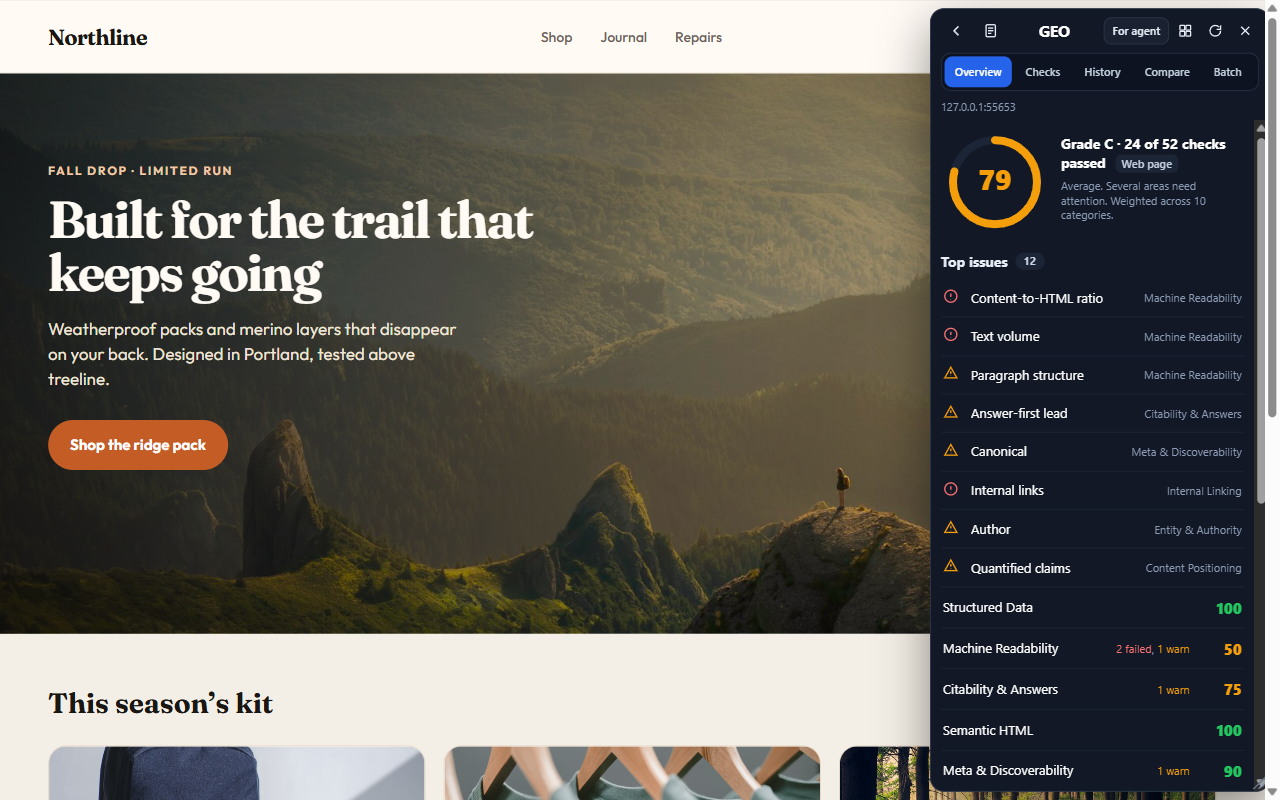
Twelve tools total. Inspector, Measure, Color, and Assets stay free. Tracking, SEO, GEO, and Fill unlock with a license.
Verify every pixel before you ship. Widths, gaps, distances — on the layout that failed review.

Never type a hex from memory. Sample the pixel that legal or brand just flagged.

List the images and media on the page so the next mock uses the file that is actually live.

Region or viewport PNG. The bug report that does not come back “can you send a screenshot?”

iPhone, Android, tablet, desktop presets. Keep measuring while the layout reflows.
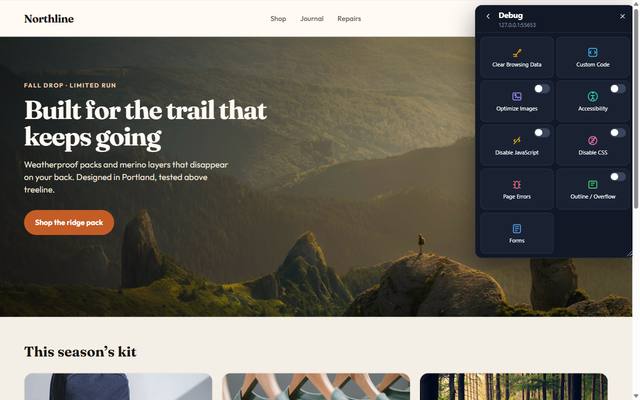
Disable JS or CSS. Clear cookies or site data. See the page without the script that is hiding the bug.
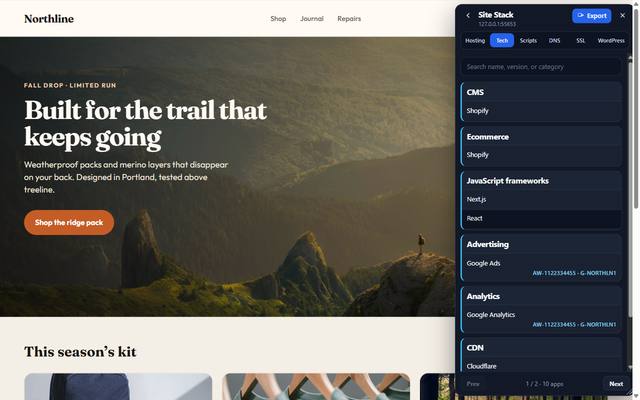
CMS, framework, libraries — so the handoff starts with facts, not a guess at “WordPress or Shopify?”
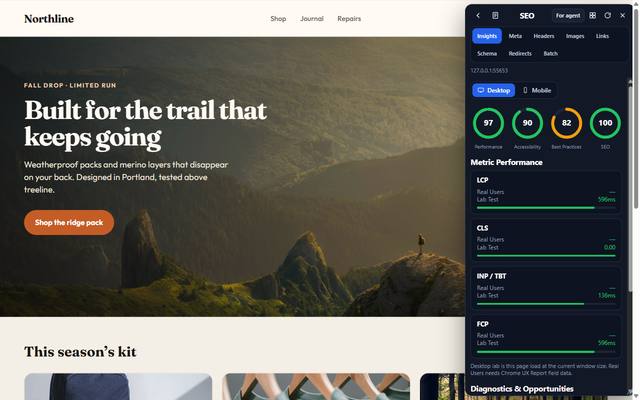
Catch missing titles, thin headings, and broken social cards before they cost you a publish.
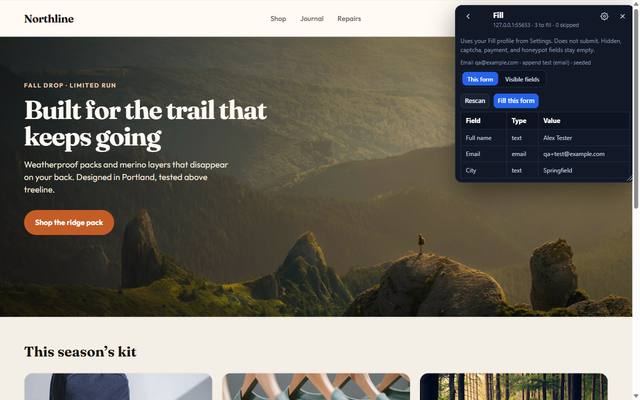
Auto-fill a local test profile. Stop typing the same checkout data on every pass.
Also in the overlay: Inspector, Tracking, and GEO — the three lead shots in the hero. All twelve are on the home grid after install.
Longer walkthroughs live on the use cases page.
Inspect, measure, eyedrop, capture, assets. Design tools without leaving the browser.
Inspector, Debug, Responsive, Stack, SEO, Tracking, GEO. Faster iteration. Fewer “works on my machine” notes.
Fill, Capture, Responsive, Measure, Tracking. Test, verify, and document with proof.
Install once. Open on any site. Capture what you need and get back to the ticket.
Toolbar icon. Overlay on the current tab.
Home tiles open a sheet. They do not toggle the tool off.
Styles, SEO, stack, or a page snapshot for a ticket or an agent.
Inspector, Measure, Color, and Assets stay free. These plans unlock Tracking, SEO, GEO, and Fill — the audits that answer the ticket.
per year · 5 activations
For designers, developers, and QA who need the rest of the overlay on the pages they already work on.
one-time · 5 activations
Same Professional unlocks, paid once. Five seats, no renewal date.
per year · 50 activations
The same licensed tools, sized for a studio or in-house team instead of a handful of seats.
Install free. Unlock when the ticket needs Tracking, SEO, GEO, or Fill.
Add to Chrome — it is free